Closed, yet Still Running? Meet RMX
Published: October 30th 2026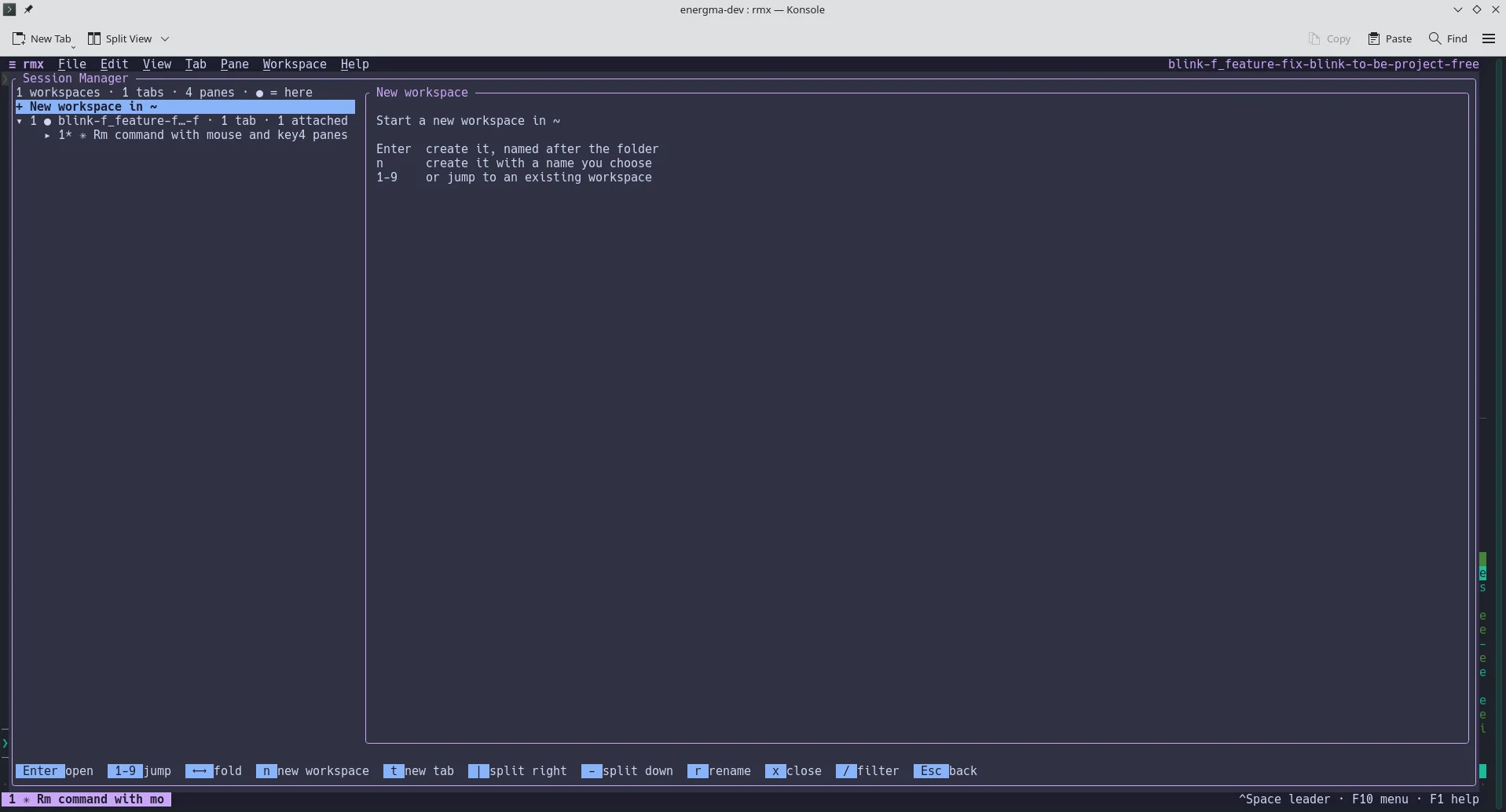
Remember the good old days of one terminal and one task? Well, they’re gone. But modern isn’t that bad, even if it’s busier. Now it’s three agents on three branches, a fourth window where you watch their work, and a server running half of it. A terminal multiplexer is no longer a hobbyist’s toy; it’s how you stay sane. That’s why we built rmx, which runs natively on Linux and macOS.
Say you have two branches and two agents. Make a worktree for each branch and a workspace for each worktree, without even stepping inside:
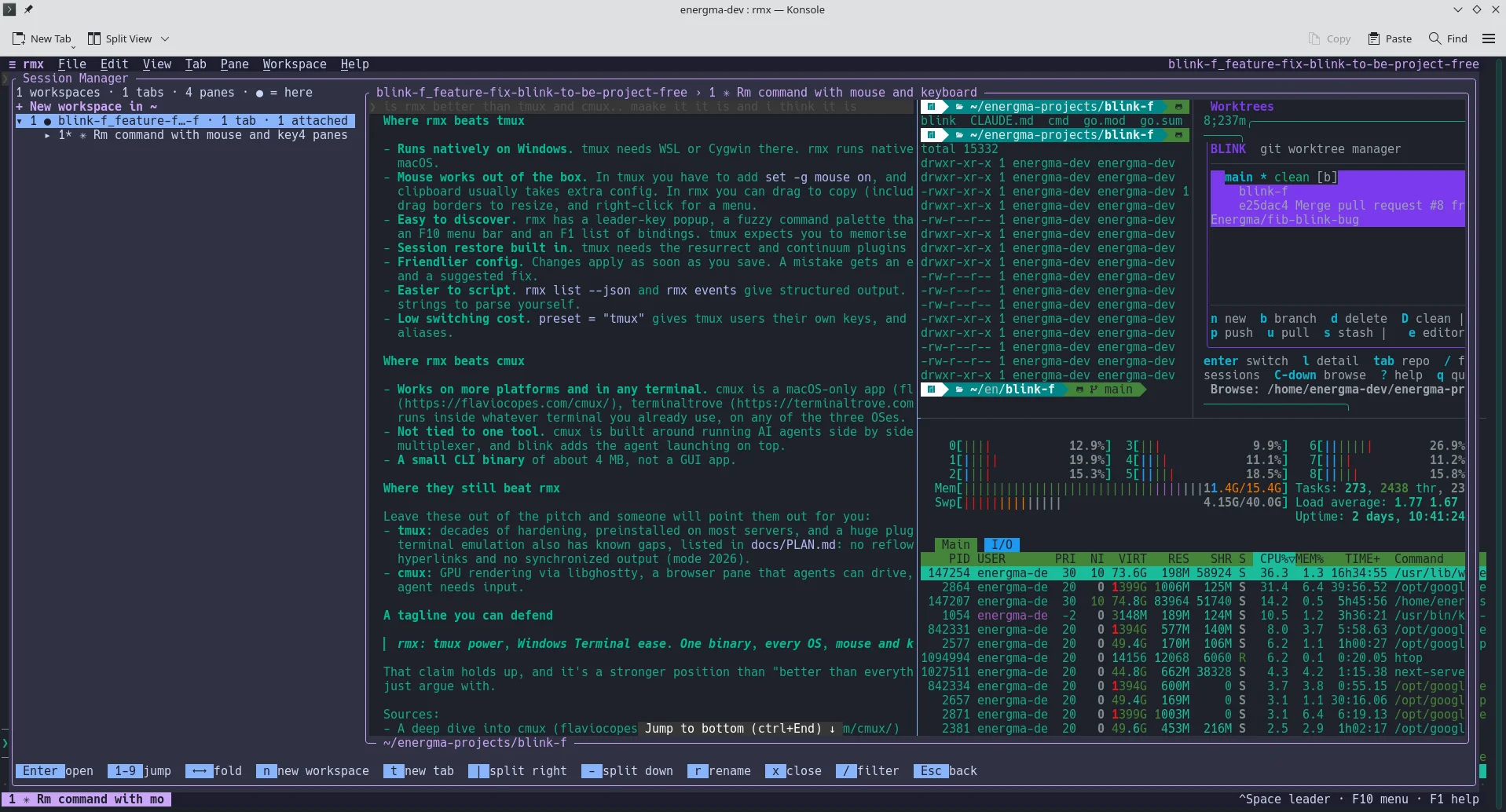
1rmx new -n auth -c ../wt/auth -d -- claude2rmx new -n billing -c ../wt/billing -d -- claudeBoth agents work in the background now, each in its own folder. Run rmx and you see them on one screen: the workspace name, its folder, its tabs and panes, and a live preview of what’s happening in the one you’ve selected. One number key takes you in, one brings you back, and the agent keeps going without you. When you want to drive things from a script, you can type into any pane, read what it printed and listen for panes opening and closing. It all comes as JSON, so an agent can start and supervise other agents. The work keeps moving whether you’re watching or not.
That matters even more once you’re on a remote machine. You know the scene: you’re on SSH with one terminal for logs, one for the database and one for a twenty-minute deploy. Then the connection drops, as it usually does. With rmx, your shells live in a background server and you simply reattach, from the same terminal or another one. You can even attach from two places at once. Every 30 seconds rmx saves which workspaces exist, how they’re split, their folders and their commands, so after a reboot a single rmx restore brings it all back. One line in the config makes that automatic. On a shared server, each user gets their own rmx server, and the socket is locked to your account.
So, why not just tmux? It can do all of this, if you know it by heart. rmx doesn’t ask you to. F10 opens a menu, right-click does what you’d expect, and the command palette shows the shortcut next to every command. After the leader key, a small popup tells you what comes next. Drag with the mouse and the text lands in your clipboard, even over SSH. After a week the shortcuts settle into your fingers and you stop needing the menus, but they’re there when you forget. If you love tmux keys, one config line (preset = "tmux") makes Ctrl+B work like it always did. There’s a vim preset too, and a lock key for when an agent or a nested session needs every key for itself.
To install it on Linux and macOS:
1curl -fsSL https://raw.githubusercontent.com/Energma/rust-terminal-multiplexer/main/install.sh | shRmx gives you one screen for all your branches, agents and servers, and nothing shuts down when you walk away. It’s built the way we build all our tools: to remove friction and put the developer back in control. Try it on GitHub and tell us what you’d like next.
Ready to get to the headlines?
Talk to one of our solution experts and start the journey.
Book the Call